

Getting started with CambWA
Everything you need for your first day with CambWA, in about 10 minutes. Cambridge Marketing can do any of these steps with you.
1. Sign in for the first time
You'll get a one-time setup code from Cambridge Marketing (or from your workspace owner). Open wa.cambt.com/app/setup, enter your email and the code, scan the QR code with an authenticator app (Google Authenticator or Microsoft Authenticator), type the 6-digit code it shows, and choose a password. Keep the 8 recovery codes somewhere safe: each one signs you in once if you lose your phone.
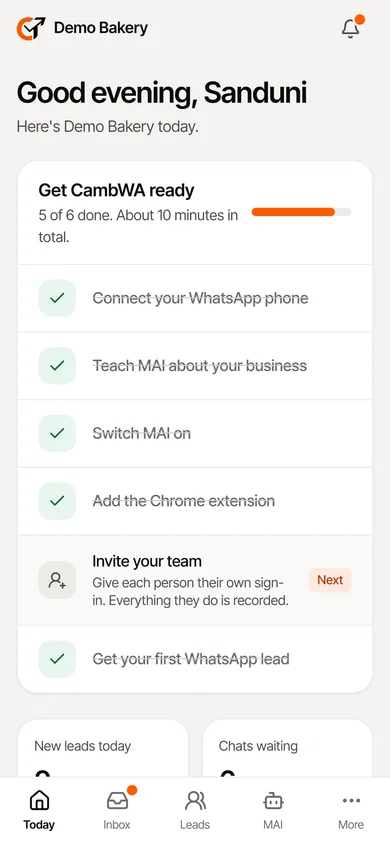
Today shows a checklist until everything is set up. Tap the step marked Next.
2. Connect your WhatsApp phone
This is what lets MAI answer customers around the clock.
- On the phone that has your business WhatsApp, open wa.cambt.com/downloads/cambwa.apk and install it. Android may ask you to allow installs from your browser; allow it.
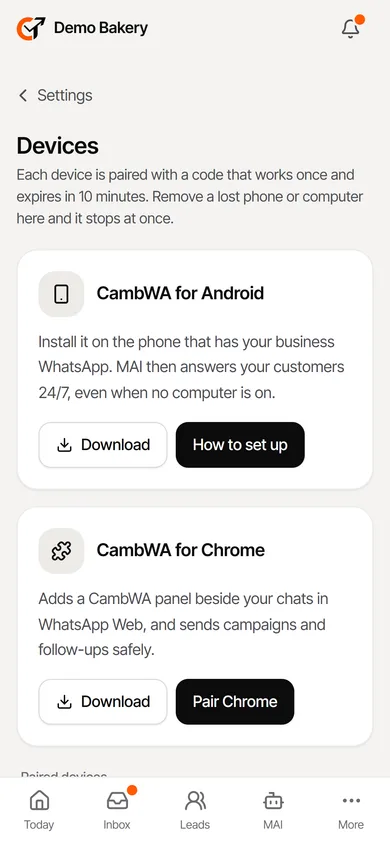
- Open CambWA on the phone, sign in, then go to Settings, Devices.
- Tap Turn on auto-replies, then switch on Notification access for CambWA. That is how it sees new WhatsApp messages.
- Tap Allow under "Run in the background", so Android doesn't stop it overnight.
3. Teach MAI about your business
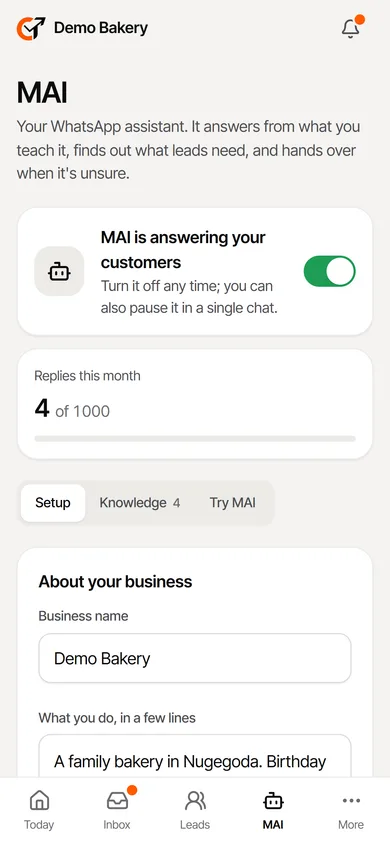
Go to MAI, then Knowledge. Add short entries for your prices, what you sell, opening hours, delivery and payment. Write it the way you'd tell a new staff member. MAI only quotes what's written here, so it never invents a price. Use Try MAI to ask what a customer would ask, then switch MAI on.
4. Add the Chrome extension (on your computer)
- In Settings, Devices, download the extension and unzip it.
- In Chrome, open chrome://extensions, switch on Developer mode, click Load unpacked and choose the CambWA folder.
- Click Pair Chrome in CambWA to get a code. It works once and expires in 10 minutes. Type it into the extension.
- Open web.whatsapp.com. The CambWA tab on the right edge shows each customer's lead beside the chat.
5. Work your leads
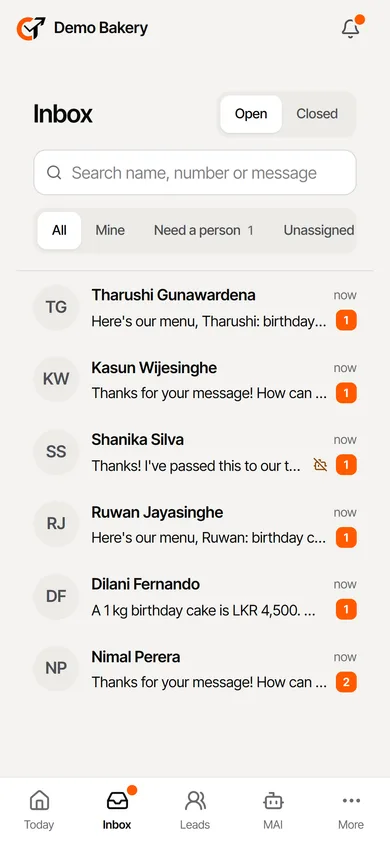
Every new WhatsApp chat becomes a lead. In the Inbox, MAI answers what it can; chats it hands over show "Need a person". In Leads and Pipeline, tap a lead to change its stage, value or owner, add notes and tags.
6. Follow up and send offers safely
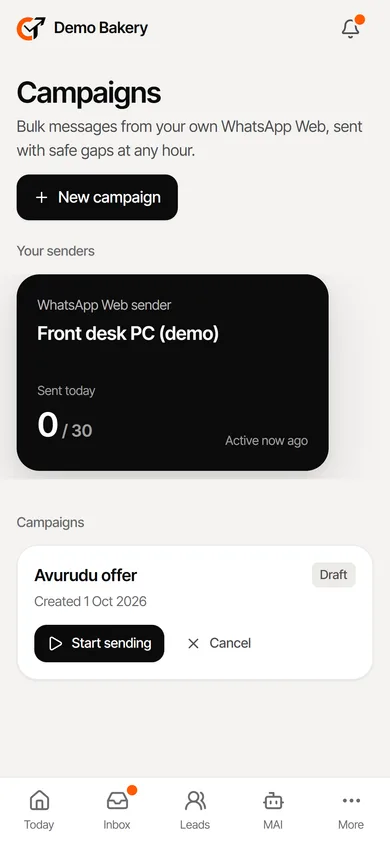
Automations send a welcome, an away message, keyword replies and follow-ups over days. Campaigns send offers to people who agreed to hear from you. Everything goes out from your own WhatsApp Web, one message at a time with safe gaps, a daily limit that grows slowly, and an automatic stop for anyone who replies STOP.
About your number: CambWA keeps the risk low, but WhatsApp can limit any number it sees as automated, and no tool can rule that out. Only message people who know you. For no risk at all, ask Cambridge Marketing about the official WhatsApp platform.
7. Invite your team
Settings, Team: add each person with their role. They get their own setup code. Owners see everything; agents answer chats and work leads; viewers can only look. Every change and sign-in is in the Audit log.
Need help?
Contact Cambridge Marketing through marketing.cambt.com. If we open your workspace to help, you'll see it in your notifications and audit log.